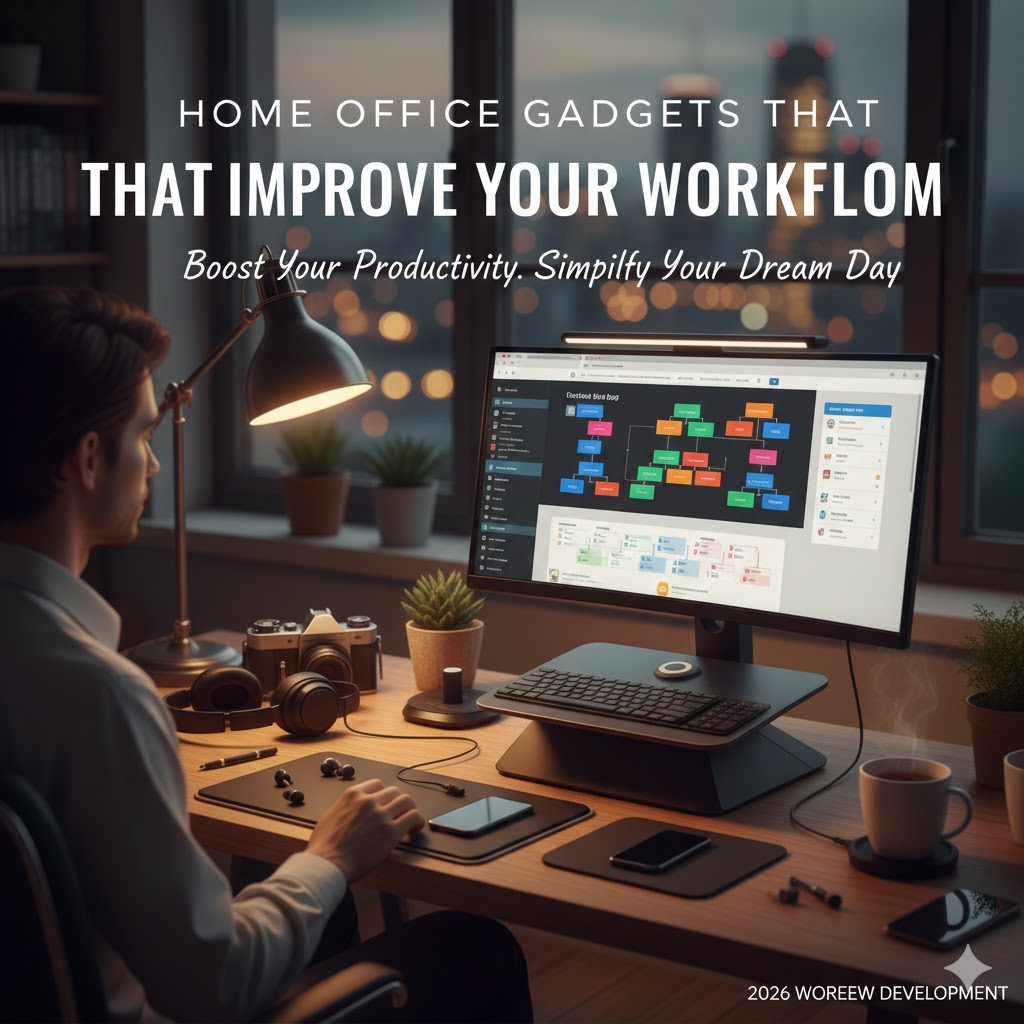
Working from home has become a long-term reality for many professionals. While remote work offers flexibility, productivity often depends on how well your home office is set up. The right gadgets do more than look good on a desk—they remove friction, reduce fatigue, and help you focus on meaningful work.
Home office gadgets are not about spending money on trends. They are about optimising how you work, reducing distractions, and creating a setup that supports consistency and efficiency. This guide covers the most effective home office gadgets that genuinely improve workflow and help you work better every day.
Why the Right Home Office Gadgets Matter
Workflow issues in home offices usually come from small inefficiencies:
- Poor posture leading to fatigue
- Constant switching between apps or screens
- Noise interruptions
- Cable clutter and disorganisation
The right gadgets solve these problems quietly in the background. When your environment works with you instead of against you, productivity improves naturally.
Ergonomic Keyboard and Mouse
Your keyboard and mouse are the most used tools in your workspace. Poor ergonomics can slow you down and cause long-term discomfort.
An ergonomic keyboard reduces wrist strain and encourages natural hand positioning. A high-quality mouse, especially one designed for productivity, allows faster navigation and customizable shortcuts.
Benefits include:
- Reduced wrist and shoulder strain
- Faster task execution
- Improved comfort during long work hours
For many remote professionals, upgrading these two tools creates the most noticeable improvement in daily workflow.
External Monitor or Dual-Screen Setup
Laptop screens are limiting for extended work sessions. An external monitor gives you more space to think and work.
A dual-screen setup helps you:
- Reference documents while working
- Manage emails and chats without interrupting focus
- Reduce constant window switching
Studies consistently show that additional screen space improves efficiency, especially for developers, designers, writers, analysts, and managers.
Monitor Stand or Adjustable Monitor Arm
Screen position plays a major role in posture and comfort. A monitor that sits too low or too high can cause neck and shoulder strain.
A monitor stand or adjustable arm:
- Positions the screen at eye level
- Frees up desk space
- Allows flexible adjustments throughout the day
Better posture leads to less fatigue, which directly impacts focus and productivity.
Noise-Cancelling Headphones
Noise is one of the biggest productivity killers in home environments. Even low-level background sounds increase cognitive load.
Noise-cancelling headphones help by:
- Blocking distractions
- Improving concentration during deep work
- Enhancing call clarity during meetings
They are especially valuable for shared living spaces or homes near busy areas.
High-Quality Webcam and Microphone
Clear communication is essential for remote work. Built-in laptop cameras and microphones often fall short.
A dedicated webcam and microphone:
- Improve video call professionalism
- Reduce miscommunication
- Create a better presence in meetings
Clear audio, in particular, reduces meeting fatigue and helps conversations flow smoothly.
Desk Lighting or Adjustable Task Lamp
Poor lighting causes eye strain and headaches, especially during long screen sessions.
A good desk lamp provides:
- Focused lighting without glare
- Adjustable brightness for different times of day
- Reduced eye fatigue
Proper lighting supports longer, more comfortable work sessions and improves overall concentration.
Cable Management and Desk Organisers
Visual clutter affects mental clarity. Tangled cables and scattered tools create unnecessary distractions.
Cable management tools and desk organisers:
- Keep essential items accessible
- Reduce desk clutter
- Improve focus and workspace aesthetics
A clean desk supports a clean workflow.
USB Hub or Docking Station
Modern laptops often lack sufficient ports. Constantly plugging and unplugging devices interrupts workflow.
A USB hub or docking station:
- Connects multiple devices through one port
- Simplifies setup changes
- Keeps your desk organised
This is especially useful for professionals using external monitors, storage drives, and accessories.
Smart Power Strip or Surge Protector
Power management is often overlooked but essential.
Smart power strips:
- Protect devices from power surges
- Reduce energy waste
- Allow easy control of multiple gadgets
They add reliability and safety to your home office setup.
Productivity Timer or Focus Device
Maintaining focus during remote work can be challenging. Physical or digital timers help structure work sessions.
These tools support:
- Time blocking
- Break reminders
- Reduced burnout
Using a timer encourages intentional work rather than endless screen time.
Portable Scanner or Digital Note Tools
Paper documents still exist, even in remote work. A portable scanner or digital note system helps keep information organised.
Benefits include:
- Faster document handling
- Easy digital storage
- Reduced paper clutter
This is particularly useful for freelancers, consultants, and remote professionals handling contracts or records.
How to Choose the Right Gadgets for Your Workflow
Not every gadget is necessary for every role. Before buying, consider:
- Your daily tasks
- Your biggest pain points
- How often the gadget will be used
Start with tools that improve comfort and reduce friction. Small upgrades often deliver the biggest returns.
Common Mistakes to Avoid
- Buying gadgets based on trends instead of needs
- Overcrowding the desk with unnecessary tools
- Ignoring ergonomics
- Focusing on aesthetics over functionality
Your setup should serve your work, not distract from it.
Frequently Asked Questions
What is the most important home office gadget for productivity?
For most people, an ergonomic mouse or an external monitor has the biggest impact on daily workflow.
Do I need an expensive setup to work efficiently?
No. Simple upgrades focused on comfort, organisation, and focus can significantly improve productivity without high costs.
How many gadgets are too many?
If gadgets create clutter or distraction, they are counterproductive. Only keep tools that actively support your workflow.
Are standing desks necessary?
They can help some people, but they are not essential. Good posture and regular movement matter more than desk type.
How often should I update my home office setup?
Review your setup every few months or after workload changes to ensure it still supports your needs.
Final Thoughts
A productive home office is not about filling your desk with technology. It is about removing obstacles between you and your work.
The right home office gadgets improve comfort, reduce distractions, and help you stay focused without effort. Thoughtful upgrades create a workspace that supports long-term productivity, not short bursts of motivation.
Start with small changes, invest in tools you use every day, and build a setup that makes working from home smoother and more sustainable.